The Best Free Flashcard App (No Paywalls, No Gimmicks)
Most flashcard apps start accessible and slowly lock the good stuff away. You build your decks, get comfortable, then hit a wall. The feature you actually need turns out to cost $8 a month.
Several apps push back against this. They offer a genuinely useful flashcard experience without requiring a credit card for the parts that matter. Here's a clear breakdown of the best ones, and what you actually get.
What "Free" Actually Means
Before the list, it's worth being specific. Some apps call themselves free but cap the number of decks you can create. Others hide spaced repetition or image support behind a paywall. The apps worth your time are the ones where the core study experience works without a subscription.
The Best Flashcard Apps With a Strong Free Plan
1. Anki
Anki is open-source and free on Windows, Mac, Android, and Linux. If you're willing to spend time learning how it works, you get one of the best study algorithms available at no cost. The community has built thousands of shared decks across subjects, which saves setup time for common topics.
The interface is dated and the setup takes longer than it should. But for long-term retention, the algorithm is excellent.
What the free plan includes: Everything, on desktop and Android
Note: The iOS app costs $25
2. Quizlet (Free Tier)
Quizlet's free tier lets you create basic card sets and use a handful of study modes. The card editor is polished, and the library of shared decks is enormous. For students who need to pull up a pre-made deck fast, the free version still works.
Spaced repetition and test mode sit behind the Plus subscription, which limits how useful the free tier is for serious studying.
What the free plan includes: Card creation, basic study modes, access to shared decks
3. Brainscape (Free Tier)
Brainscape's free tier lets you create your own decks and access some shared content. The confidence-based rating system is available without paying, which makes it more useful than Quizlet's free tier for active recall practice.
What the free plan includes: Custom deck creation, confidence-based repetition, some shared decks
4. Cram
Cram is as simple as flashcard apps get. No algorithm, no scheduling. You create cards and flip through them. It works well for short-term cramming when you just need to go through material quickly before a test. No account is required to start.
What the free plan includes: Basic card creation and review, public deck access
5. Space Repeat
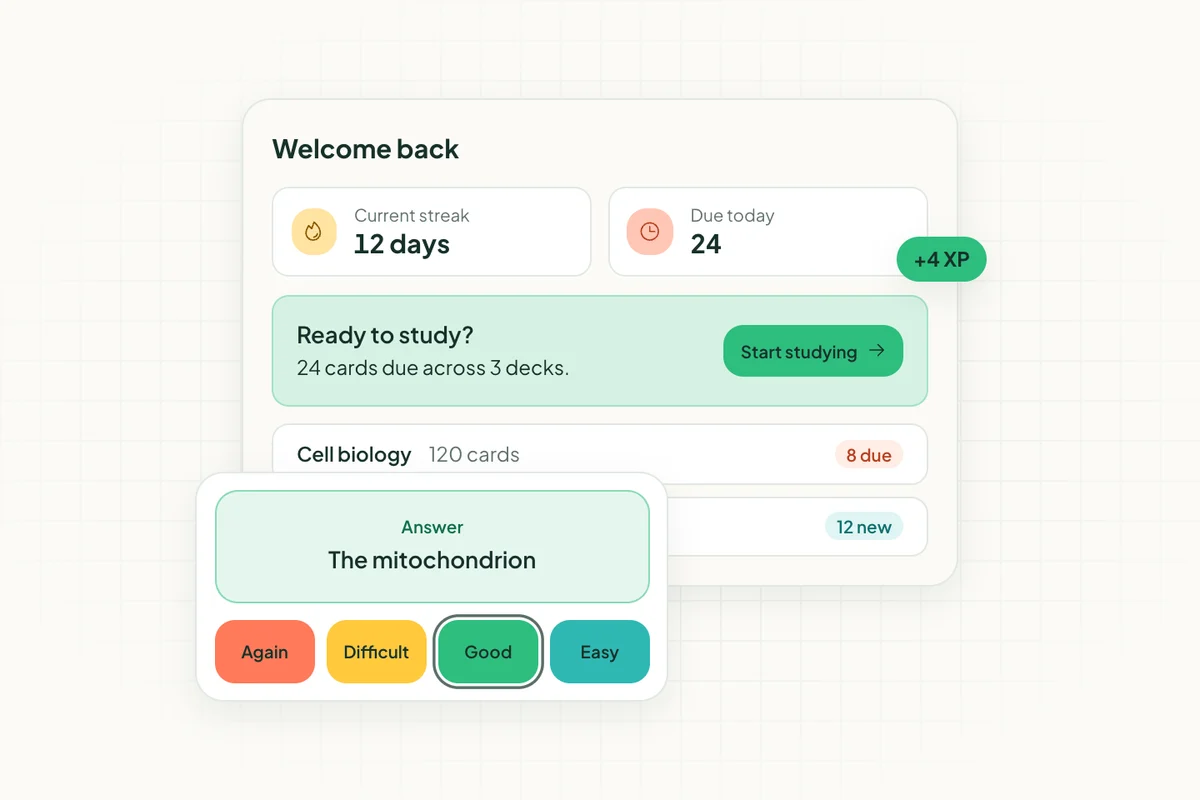
Space Repeat is free to use while it's in beta, with no feature walls: every account gets the full app. You can create decks, add images, and study with spaced repetition built in from day one. The algorithm tracks your performance and adjusts your review schedule automatically, so you're not just flipping through cards randomly.
Creating a new card takes about five seconds. The interface is clean and doesn't bury you in menus. It works on any device through your browser.
Free during the beta: Deck creation, spaced repetition, image support, and cross-device access. Early users will be looked after when pricing arrives.
Does a Free App Actually Work Long-Term?
Yes, if it includes spaced repetition. That's the real test.
Random card review is fine for cramming the night before an exam. But if you want to retain information over weeks and months, the app needs to track your performance and schedule reviews at the right intervals. That feature is accessible in some apps and paywalled in others.
Space Repeat is free during its beta, with spaced repetition on every deck. Anki is also free on most platforms. Both put them in a different category from apps that treat scheduling as a premium feature.
Spaced repetition combined with active recall (actively retrieving information rather than passively reading it) is the most research-backed study approach available.
The Best Free Flashcard App for iPhone
Anki's iOS app costs $25, which rules it out if you want a completely free mobile option. Space Repeat works on iPhone through the browser, free during the beta, with the same features available on desktop. Quizlet and Cram also have free iPhone apps, with the limitations noted above.
For iPhone users who want spaced repetition without paying for an app, Space Repeat is the clearest pick right now.
Final Verdict
If you want a flashcard app with no feature walls that's free to use right now, Space Repeat, currently in beta, is the strongest option. Anki is close behind, but the setup time and the iOS cost push some learners toward something simpler.
Spaced repetition shouldn't be a premium add-on. A good flashcard app should include it from day one, for every user.
For subject-specific guides, see how Space Repeat works for medical students, law school, language learning, and university students.
For a focused comparison of which apps give you real spaced repetition scheduling at no cost, see The Best Free Spaced Repetition App in 2026.
Ready to try spaced repetition?
Space Repeat makes it easy to create flashcard decks and study with proven memory techniques. Free to start.
Start free