The Best Digital Flashcard Maker (And How to Choose One)
Paper flashcards work. Anyone who's ever made a stack of index cards before an exam knows that writing something down by hand helps it stick. But paper has real limits. You can't carry 800 vocabulary cards in your pocket. You can't track which ones you keep getting wrong. And you certainly can't have an algorithm decide when to show you each card based on your performance history.
Digital flashcard makers solve all of this. The best ones go further, turning a simple card-and-flip format into a genuine long-term study system. Here's how the top options compare.
What to Look for in a Digital Flashcard Maker
Not all flashcard tools are built the same way. Some are glorified note apps with a flip animation. Others are full study systems.
A few things separate the useful from the basic.
Card creation speed matters. If building a deck is tedious, you'll stop doing it. The best tools let you add a card in a few seconds and move on.
Media support matters. Text-only cards work for some subjects. For languages, anatomy, geography, or anything visual, the ability to add images and audio changes how well the cards actually work.
Spaced repetition matters most. A digital flashcard maker that just shuffles your cards randomly is doing the bare minimum. The tools worth your time track your performance and show you each card at the right interval, not just in random order. This is what makes flashcards a proper study system rather than digital index cards, and it's why active recall is so important to how they work.
The Best Digital Flashcard Makers
1. Anki
Anki is the most powerful flashcard software available. It's open-source, deeply customizable, and the community around it has produced add-ons, shared decks, and study guides for almost every subject imaginable.
The creation experience is rougher than most modern alternatives. The interface hasn't kept up with current design standards, and the learning curve for new users is real. But for learners who want maximum control over their review schedule and don't mind doing the setup work, Anki delivers.
Best for: Power users, heavy studiers, learners who want full control over scheduling settings
2. Quizlet
Quizlet is the most widely used online flashcard creator, and the creation experience reflects years of refinement. Adding cards is fast, the formatting options are solid, and the shared deck library is enormous.
For students who want to pull up a pre-made set of cards on a topic and start reviewing immediately, Quizlet is hard to beat on convenience. The spaced repetition feature requires a paid subscription, which matters if you're looking for a complete study system rather than just a card-creation tool.
Best for: Students who need quick deck creation or access to shared content
3. Brainscape
Brainscape positions itself as a smarter flashcard tool, and the confidence-based scheduling system earns that claim. After each card, you rate how well you knew it. The app builds your review schedule around those ratings.
The pre-made deck library is strong in structured academic subjects, and the interface is clean. Creating your own decks is straightforward.
Best for: Learners who prefer rating their confidence over pass/fail grading
4. Cram
Cram is the simplest option on this list. You create cards, you flip through them. There's no algorithm, no scheduling, no confidence rating. For short-term studying, that simplicity is actually a feature. No setup, no decisions, just cards.
Best for: Last-minute cramming, quick review sessions
5. Space Repeat
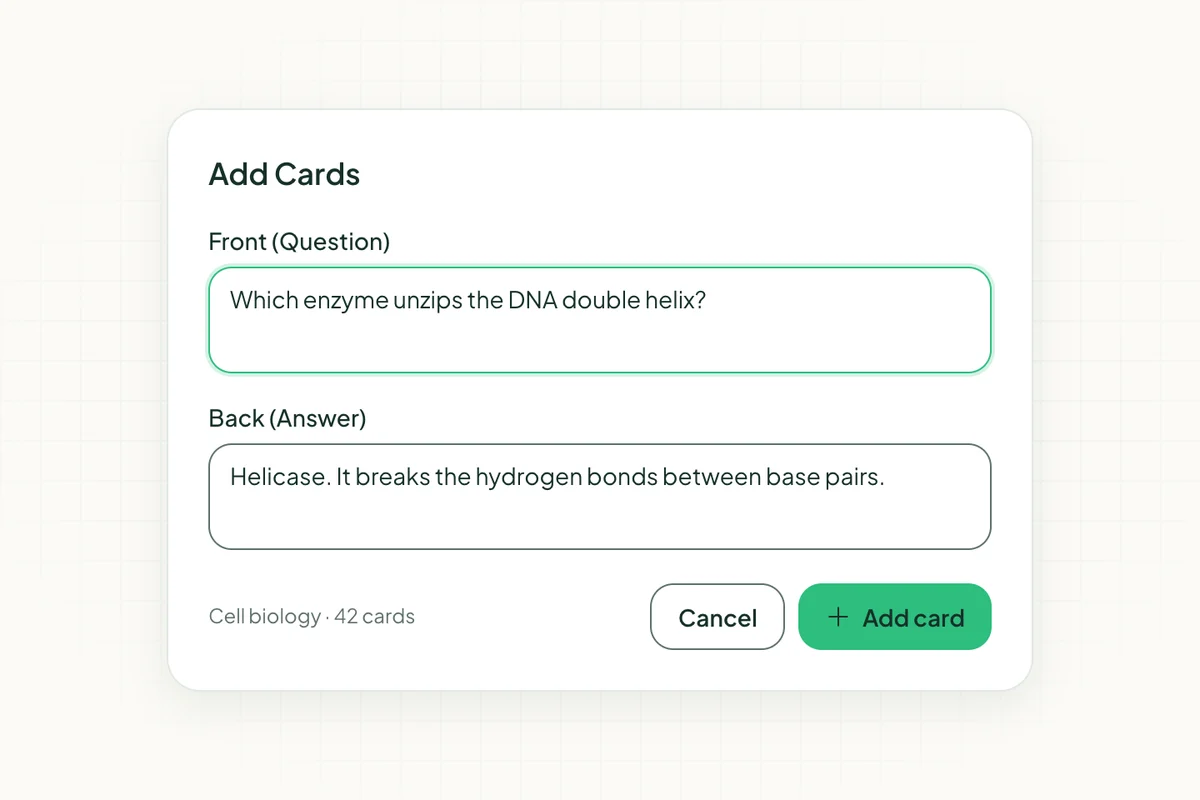
Space Repeat is an online flashcard maker built around spaced repetition from the ground up. You create a deck, add your cards with text or images, and the algorithm takes over from there. It tracks how well you know each card and schedules your reviews accordingly.
The creation experience is fast. Adding a new card takes a few seconds, and you can build a full deck in a single sitting without the process feeling like a chore. It works on any device through your browser, so your decks are accessible wherever you study.
What sets it apart from basic digital flashcard tools is that it treats review as a system, not just a feature. You're not just flipping cards. The app is actively building a review schedule around your memory.
Best for: Learners who want a proper study system, not just digital index cards
Online Flashcard Creator vs. Desktop Software: Which Is Better?
Desktop software like Anki gives you more control. You can install add-ons, adjust algorithm parameters, and store your data locally. For learners with a specific technical setup or who want full ownership of their data, that control has real value.
Online flashcard creators like Space Repeat trade some of that depth for accessibility. Your decks are available on any device, there's nothing to install, and you don't have to manage software updates or backups. For most learners, that trade is worth it.
The honest answer is that the best tool is the one you'll actually use consistently. A powerful app you find frustrating to open is less useful than a simpler one you check every day.
How to Make Digital Flashcards That Actually Work
The format of your cards matters as much as which app you use.
Keep each card focused on a single fact or concept. A card that asks three things at once is harder to rate accurately and harder to review efficiently.
Use images wherever the subject allows it. Visual memory is strong. A card with an image of the Eiffel Tower alongside "Tour Eiffel" will stick better than a card with just text on both sides.
Write the question side in your own words. Copying text directly from a textbook produces cards that feel familiar but don't test real recall. Rephrasing forces you to process the information, which makes the card more useful.
Build smaller, focused decks rather than one large mixed deck. A deck of 500 random cards is harder to work through than five decks of 100 cards organized by topic.
The Bottom Line
If you want a digital flashcard maker that goes beyond basic card creation and gives you a real study system, Space Repeat is the strongest pick. The creation experience is fast, the spaced repetition is built in, and it works on any device without installation.
For learners who want maximum algorithmic depth and don't mind a setup process, Anki is the alternative. For students who just need to build and share card sets quickly, Quizlet covers that ground.
The goal isn't just to make cards. It's to actually remember what's on them. Pick a tool that takes that seriously.
For practical advice on writing cards that actually work, see Active Recall: The Most Effective Study Technique. If cost is a factor, Free Flashcard Maker compares the no-paywall options directly.
Ready to try spaced repetition?
Space Repeat makes it easy to create flashcard decks and study with proven memory techniques. Free to start.
Start free